
Download Christmas Tree Bounce – Free Festive Screen Saver for Mac
Overview
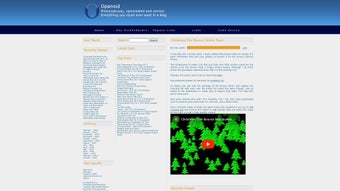
The holiday season is the perfect time to inject a little joy into your daily routine, and Christmas Tree Bounce does exactly that for Mac users. This free screen saver transforms an idle desktop into a lively winter wonderland where a bright, animated Christmas tree bounces playfully across the screen. Designed with vibrant colors, smooth motion, and a whimsical spirit, the app creates a cheerful atmosphere without consuming significant system resources.
Whether you’re working late on a project, stepping away for a coffee break, or simply love seasonal décor, the screen saver adds a subtle yet effective reminder that the holidays are near. Its lightweight nature means it won’t slow down your Mac, and because it runs only when the computer is idle, it stays out of the way while you’re actively using the device. Ideal for home offices, school computers, or any Mac that needs a festive touch, Christmas Tree Bounce is a simple, secure, and enjoyable way to celebrate the spirit of Christmas without installing a full‑blown holiday theme pack.
Key Features of Christmas Tree Bounce
- Animated Bouncing Tree: A high‑definition Christmas tree sprite that moves fluidly across the screen, bouncing off the edges in a natural, physics‑based motion.
- Vibrant Holiday Palette: Rich reds, greens, and golds that capture the classic Christmas feel while remaining easy on the eyes.
- Lightweight Performance: Optimized for macOS, the screen saver uses minimal CPU and RAM, ensuring that your Mac stays responsive.
- Easy Customization: Users can adjust bounce speed, tree size, and background color directly from the preferences pane.
- Automatic Updates: The app checks for updates on launch, guaranteeing that you always have the latest bug fixes and visual enhancements.
- Secure Installation: Signed with Apple’s notarization service, the installer is safe and free from malware.
- Free to Use: No hidden fees, in‑app purchases, or subscription models—just a pure, festive experience.
Installation & Usage Instructions
Getting Christmas Tree Bounce up and running is straightforward, even for users who are new to screen savers on macOS. Follow these steps for a smooth setup:
- Download the Installer: Click the “Download” button on the official product page. The file is a signed
.dmgpackage, ensuring a secure source. - Open the Disk Image: Double‑click the downloaded
.dmg. A window will appear showing theChristmas Tree Bounce.appicon. - Install the Application: Drag the app icon into your
Applicationsfolder. macOS may ask for your administrator password; enter it to authorize the copy. - Enable the Screen Saver: Open
System Settings(orSystem Preferenceson older macOS versions) →Desktop & Screen Saver. Click theScreen Savertab, then select “Christmas Tree Bounce” from the list. - Configure Preferences: Click the
Screen Saver Optionsbutton. Here you can set the bounce speed (slow, medium, fast), choose a background shade, and toggle the “Show Snowflakes” option for extra flair. - Test the Saver: Press the
Previewbutton to see the animated tree in action. Adjust settings until you’re satisfied. - Set Activation Time: In the same
Desktop & Screen Saverpane, define the idle time before the saver activates (e.g., 5 minutes). The tree will begin bouncing once the Mac is idle for the selected period.
After installation, the screen saver runs automatically whenever your Mac is idle for the configured duration. You can always return to the preferences to fine‑tune the experience or switch back to your previous screen saver. Because the app is lightweight, you’ll notice no slowdown, even on older Mac models.
Compatibility, Pros & Cons, FAQ, and Final Thoughts
Supported Operating Systems
Christmas Tree Bounce is built for macOS 10.13 (High Sierra) and later. It runs natively on Intel‑based Macs as well as Apple Silicon (M1, M2, and newer) thanks to universal binaries. Users on macOS Ventura, Monterey, Big Sur, and Catalina will experience the same smooth animation and low‑resource usage. While the app is exclusive to macOS, the developer has hinted at a future Windows version, but currently no Windows, Android, or iOS builds are available.
Pros & Cons
- Pros
- Completely free with no hidden costs.
- Lightweight and does not affect system performance.
- Easy to install and configure via standard macOS settings.
- Visually appealing, with smooth animations and vibrant colors.
- Secure, notarized installer ensures safety.
- Automatic update checks keep the app current.
- Cons
- Limited to macOS; no native Windows or mobile versions.
- Customization options are modest compared to full‑featured theme packs.
- Only a single animation style (bouncing tree) – no alternate holiday themes.
Frequently Asked Questions
Is Christmas Tree Bounce safe to download?
Yes. The installer is signed and notarized by Apple, meaning it has passed Apple’s security checks and is free from malware.
Can I use the screen saver on a MacBook Pro with Apple Silicon?
Absolutely. The app includes a universal binary that runs efficiently on both Intel and Apple Silicon Macs.
Does the screen saver consume a lot of battery on laptops?
No. Because the animation is lightweight and uses minimal CPU/GPU cycles, battery impact is negligible.
Can I change the background color or add snow?
Yes. The preferences pane offers options to adjust background hue and toggle a subtle snowflake overlay.
Is there a way to schedule the screen saver only during the holiday season?
While the app itself doesn’t include a built‑in scheduler, you can enable or disable the saver manually in System Settings, or use macOS’s “Do Not Disturb” automation to activate it between specific dates.
Conclusion & Call to Action
Christmas Tree Bounce delivers exactly what its name promises: a joyful, animated Christmas tree that bounces across your Mac’s screen whenever it’s idle. Its free price tag, secure installation, and low system footprint make it an excellent choice for anyone looking to add a festive flair without compromising performance. Though the feature set is intentionally simple, that simplicity is its strength—it provides a distraction‑free holiday atmosphere that works on both new and older Macs. If you’re ready to bring a touch of seasonal magic to your desktop, download Christmas Tree Bounce today, set your preferred bounce speed, and let the holidays begin on your screen.
Christmas Tree Bounce is a delightful, well‑optimized screen saver that captures the holiday spirit while staying lightweight and secure. Its limited customization is balanced by flawless performance across all supported macOS versions. Perfect for anyone wanting a simple yet charming festive backdrop.







